How to Download YouTube Thumbnails in HD: The Ultimate 2026 Guide
Want to grab high-quality thumbnails for your design projects or research? Learn the easiest way to download YouTube thumbnails in HD and 4K instantly with our free guide and tool.
How to Download YouTube Thumbnails in HD: The Ultimate 2026 Guide
In the competitive world of digital content, a video’s success isn't just about the edit—it’s about the "click." Statistics in 2026 show that over 90% of the top-performing videos on YouTube use custom, high-resolution thumbnails to stand out. Whether you are a graphic designer looking for inspiration or a creator performing competitor research, knowing how to access high-quality thumbnails is essential.
In this guide, we will show you exactly how to download any YouTube thumbnail in HD, why it matters for your SEO strategy, and how to use the FreeToolsHub extractor to get the job done in seconds.
Why Should You Download YouTube Thumbnails?
You might wonder why someone would need to download a thumbnail instead of just looking at it. For professional creators, thumbnails are a goldmine of data.
1. Competitor Analysis & Reverse Engineering
By downloading and studying the thumbnails of top creators in your niche (like MrBeast or MKBHD), you can analyze their use of color theory, font choice, and "Face-to-Object" ratios. This helps you understand what the current algorithm is favoring.
2. Mood Boards for Designers
If you are a freelance designer, building a mood board of high-resolution thumbnails is the best way to present concepts to your clients. Low-quality screenshots don't cut it when you're trying to show professional contrast and layout.
3. Archiving Your Own Content
Sometimes, creators lose their original project files. A thumbnail downloader allows you to recover your own artwork directly from the YouTube servers in its highest available resolution.
How to Use the YouTube Thumbnail Downloader (Step-by-Step)
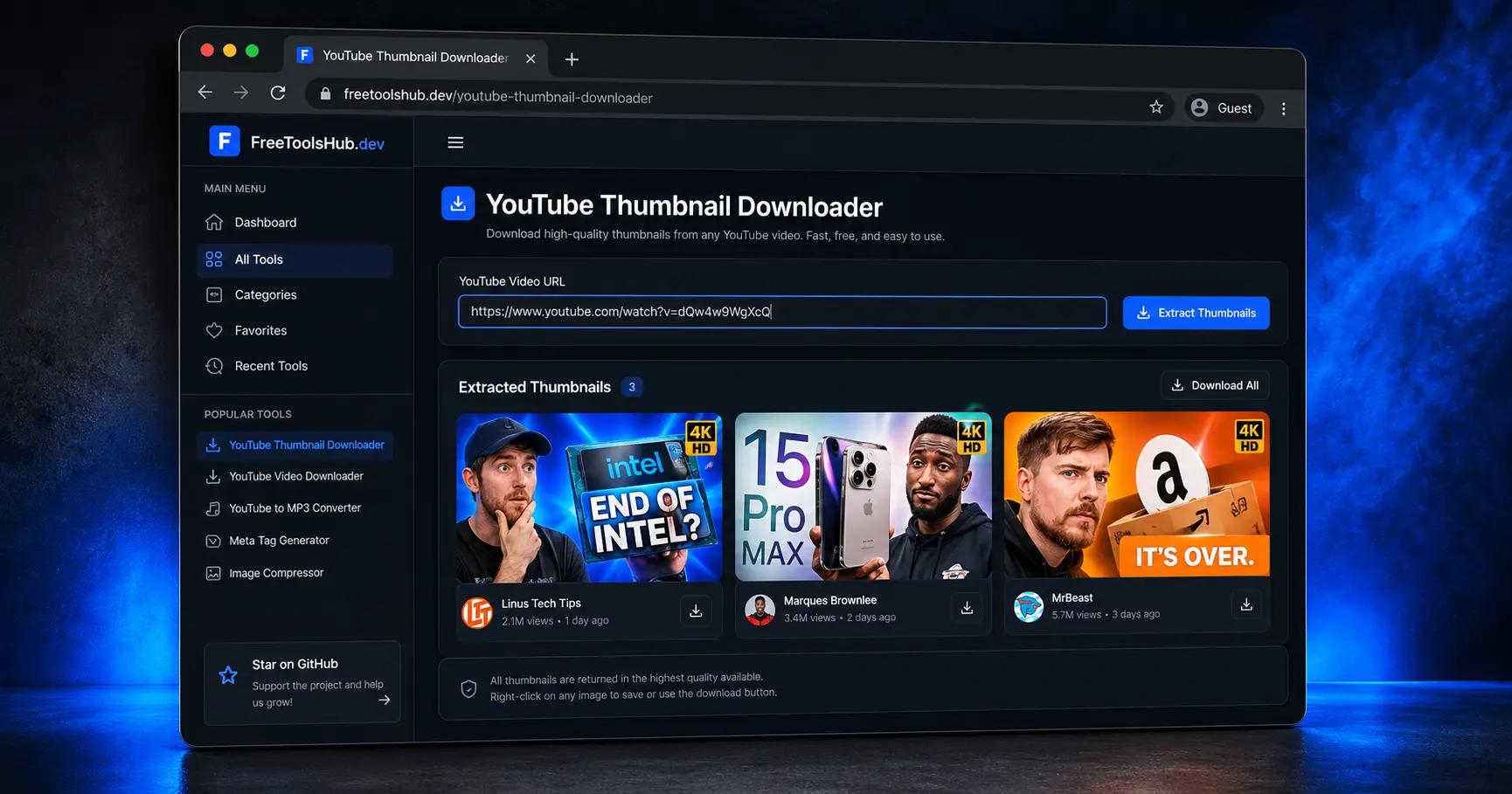
We have designed our YouTube Thumbnail Downloader to be fast, free, and require zero registration. Here is how to use it:
- Copy the Video URL: Go to YouTube and find the video you want. Copy the URL from the address bar (e.g.,
https://www.youtube.com/watch?v=xxxx). - Paste the Link: Head over to our tool page and paste the link into the input box.
- Fetch the Image: Click the "Generate" button. Our system will communicate with YouTube’s API to find every available size.
- Download in HD: You will see options for Medium, High, and "Maximum Resolution" (HD/4K). Click your preferred size to save it directly to your device.
3 Pro Tips for Designing Viral Thumbnails in 2026
Downloading a thumbnail is just the first step. To win the "click war," keep these three 2026 trends in mind:
- The "Rule of Thirds" for Mobile: Most viewers are on mobile devices. Ensure your main subject is placed in the left or right third of the frame, leaving the center clear for a quick visual "hook."
- High-Contrast Color Grading: Use colors that pop against YouTube’s white or dark mode interface. Bright greens, oranges, and neons are currently trending for high Click-Through Rates (CTR).
- Text Readability: If you add text, keep it to 3 words or less. If a user can’t read it in half a second while scrolling, it shouldn’t be there.
Frequently Asked Questions (FAQ)
Is it legal to download YouTube thumbnails?
Downloading thumbnails for personal use, research, and inspiration is generally considered fair use. However, you should never re-upload someone else's thumbnail as your own or use it for commercial profit without permission.
What is the best resolution for a YouTube thumbnail?
The standard resolution is 1280x720 pixels, with a minimum width of 640 pixels. Our tool fetches the "maxresdefault" version, which provides the cleanest image possible for your designs.
Does this tool work for YouTube Shorts?
Yes! You can paste the link to any YouTube Short, and our system will extract the vertical thumbnail preview just like a standard video.
Final Thoughts
Your thumbnail is your video’s "storefront." By using a YouTube Thumbnail Downloader, you gain the ability to study the best in the business and improve your own creative workflow.
Ready to start your research? Try our Free Thumbnail Downloader now and take your YouTube SEO to the next level.